Preview without opening
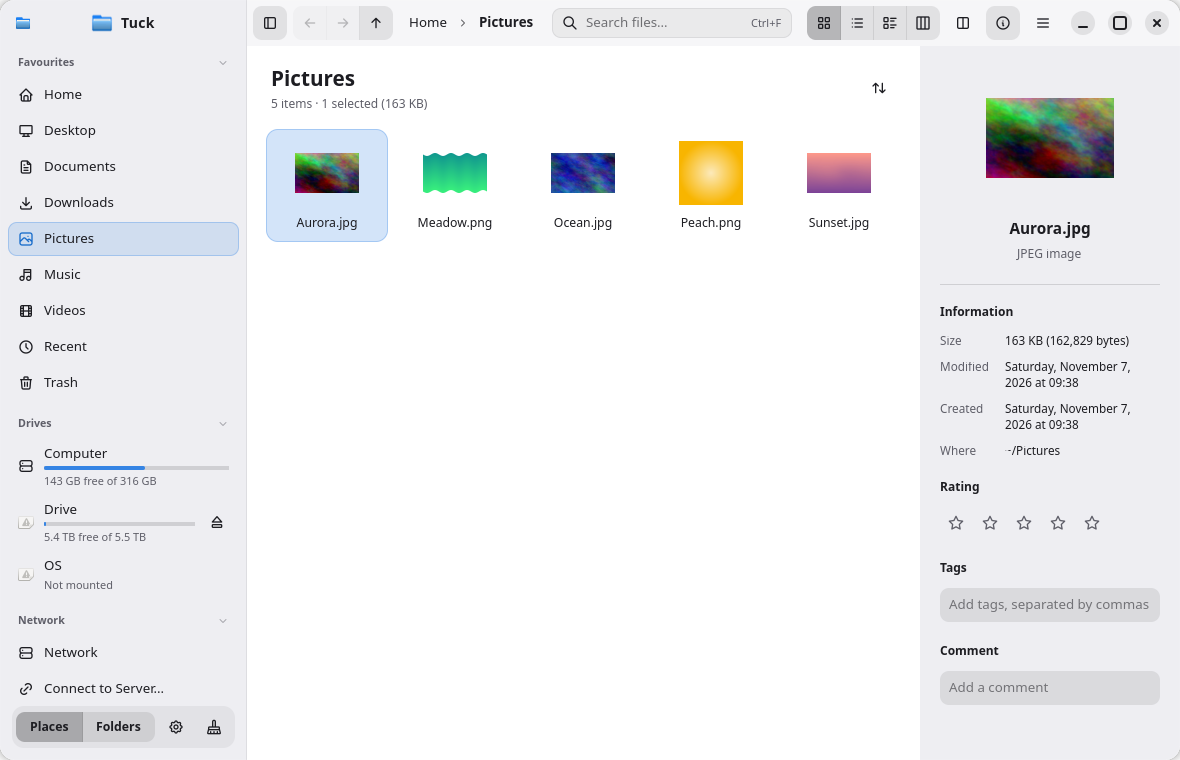
Press Space to see any file instantly. Arrow keys move to the next file while the preview stays open.
Dolphin's power with a calm, simple design: Quick Look, instant search, macOS-style columns, one-click archives and app installs built in.
kind:pdf size:>10mbPreview without opening
Images, video, audio, PDFs, code with syntax colours, Markdown and archive contents. Try it: click a file, press Space, then use the arrow keys to move through them with the preview open.
Everything you reach for
Tuck covers most of what people use Dolphin for, with the simplicity of a macOS-style file browser.
Press Space to see any file instantly. Arrow keys move to the next file while the preview stays open.
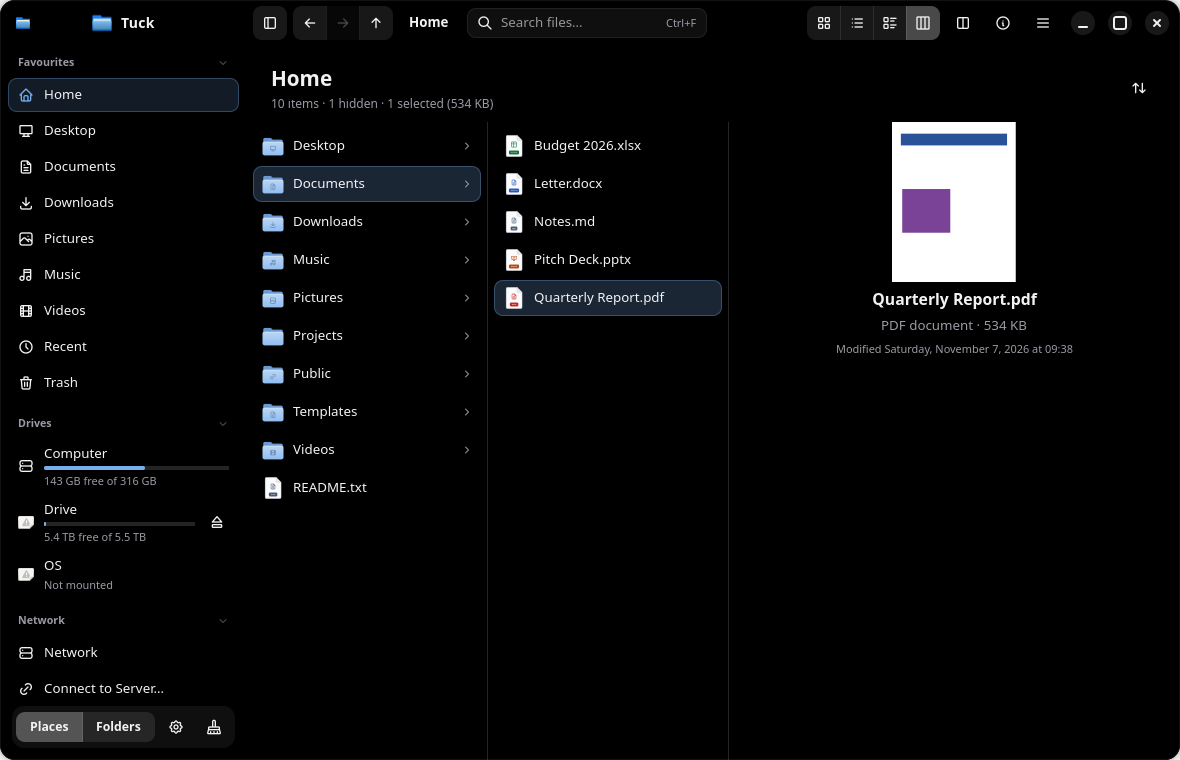
Search your whole home folder as you type, ranked by best match, even inside text and code files.
Double-click .zip, .7z, .rar and more to extract safely. Double-click a .deb, .rpm, .flatpakref or AppImage to install, with a clear confirmation first.
Columns, tabs, split view, a folder tree and a built-in terminal that follows you. Undo and redo for every file operation.
Tags, star ratings and comments shared with Dolphin, coloured git status dots, and a Cleaner that never touches your own files.
11 themes including AMOLED Black, any accent colour, and your own icon theme. Every shortcut can be changed.
New in 0.1.4
Optional tools built into Tuck, each with its own switch in Preferences › Addons. Turn one off and it disappears from menus and previews.
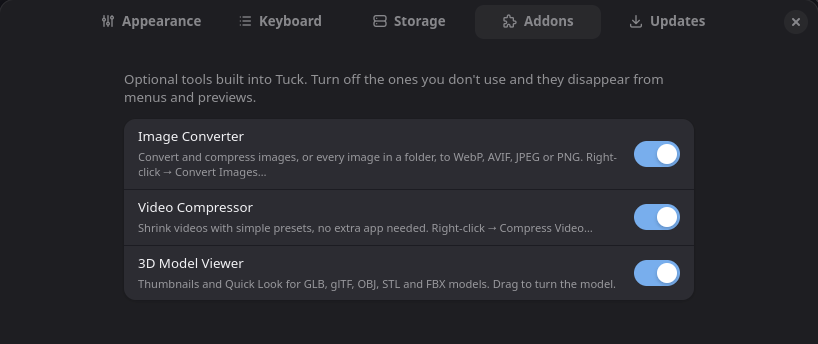
Image Converter uses ImageMagick and Video Compressor uses FFmpeg; if one is missing, the Addons page says which package to install.
Find anything fast
Tuck searches your whole home folder, ranked by best match. Narrow it down with filters, or just type them.
Make it yours
Pick a theme and an accent colour below. In Tuck, text is adjusted automatically to stay readable (WCAG AA), and you can write your own themes too.
Install
The installer picks the package for your system and checks it against the release's SHA-256 checksums.
FAQ
Tuck is young. Here's what it does, and what it doesn't yet.
Yes. It's free and open source under the GPL-3.0-or-later licence.
The packages run on Debian 13+, Ubuntu 25.04+, Fedora 41+, openSUSE Tumbleweed and Arch; they need GTK 4.16 and libadwaita 1.6. Since 0.1.4 the AppImage carries its own C library, so it runs on distributions as old as Ubuntu 22.04.
Optional tools built into Tuck: an Image Converter, a Video Compressor and a 3D Model Viewer. Each has its own switch in Preferences › Addons. If ImageMagick or FFmpeg isn't installed, the Addons page tells you which package to install.
It covers most everyday Dolphin features: tabs, split view, a terminal panel, tags, service menus and git status. Some are missing, such as browsing inside archives as folders, inline rename and version control other than git.
Yes: Preferences › Updates › Make Default. Folders from your browser and other apps then open in Tuck.
No. It only looks at a fixed list of cache folders, ticks only caches that rebuild themselves, and asks before deleting. Other apps' caches and the Trash are listed but never ticked for you.
Yes, on Wayland and X11.
Not an official one yet. Use the package for your system or the AppImage; a Flatpak's sandbox also hides drives and parts of your files from a file manager.
Yes, it extracts RAR archives with nothing extra to install. Password-protected RARs need the unrar program for now. It can't create RAR files; it makes ZIP, 7z and tar instead.
Preferences › Updates › Check Now, or run the install command again. Every download is checked against the release's SHA-256 checksums.
It's an early release (0.1.x). Report problems on GitHub Issues.
Free, open source, and ready for your Linux desktop.