
Desktop app for Linux · v0.1.2
TaskMonitor
A modern, lightweight task manager for Linux.
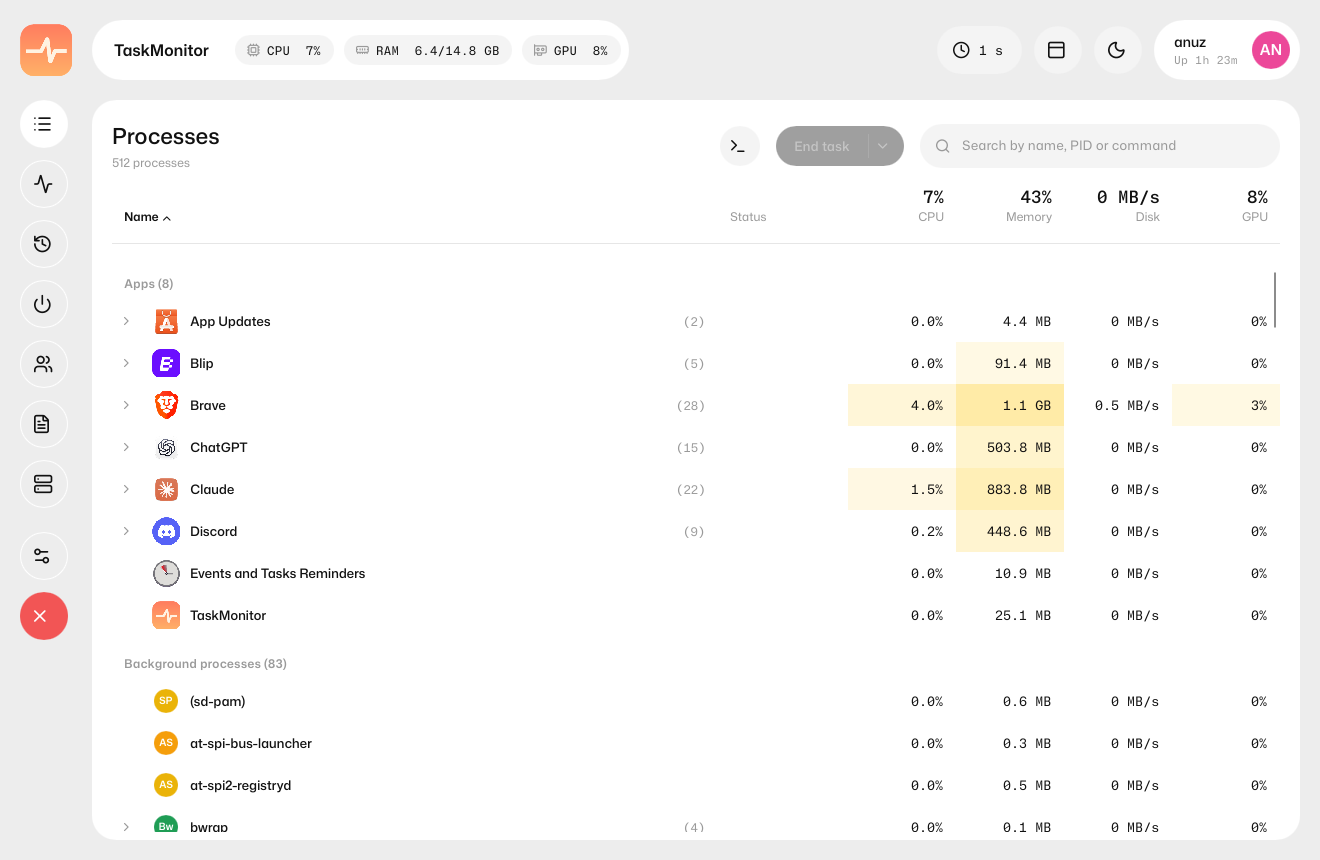
TaskMonitor is a free, open-source task manager for Linux. It does everything Windows Task Manager does — processes, performance graphs, services, startup apps and users — in a clean card-based UI, using about 35 MB of RAM.
- Memory
- ~35 MB
- CPU use
- 1–2%
- Pages
- 8
- License
- MIT
Features
What TaskMonitor does
Processes
Apps, background and system processes, grouped and expandable, with CPU, memory, disk and GPU use, heat-map cells, sorting and search.
Performance
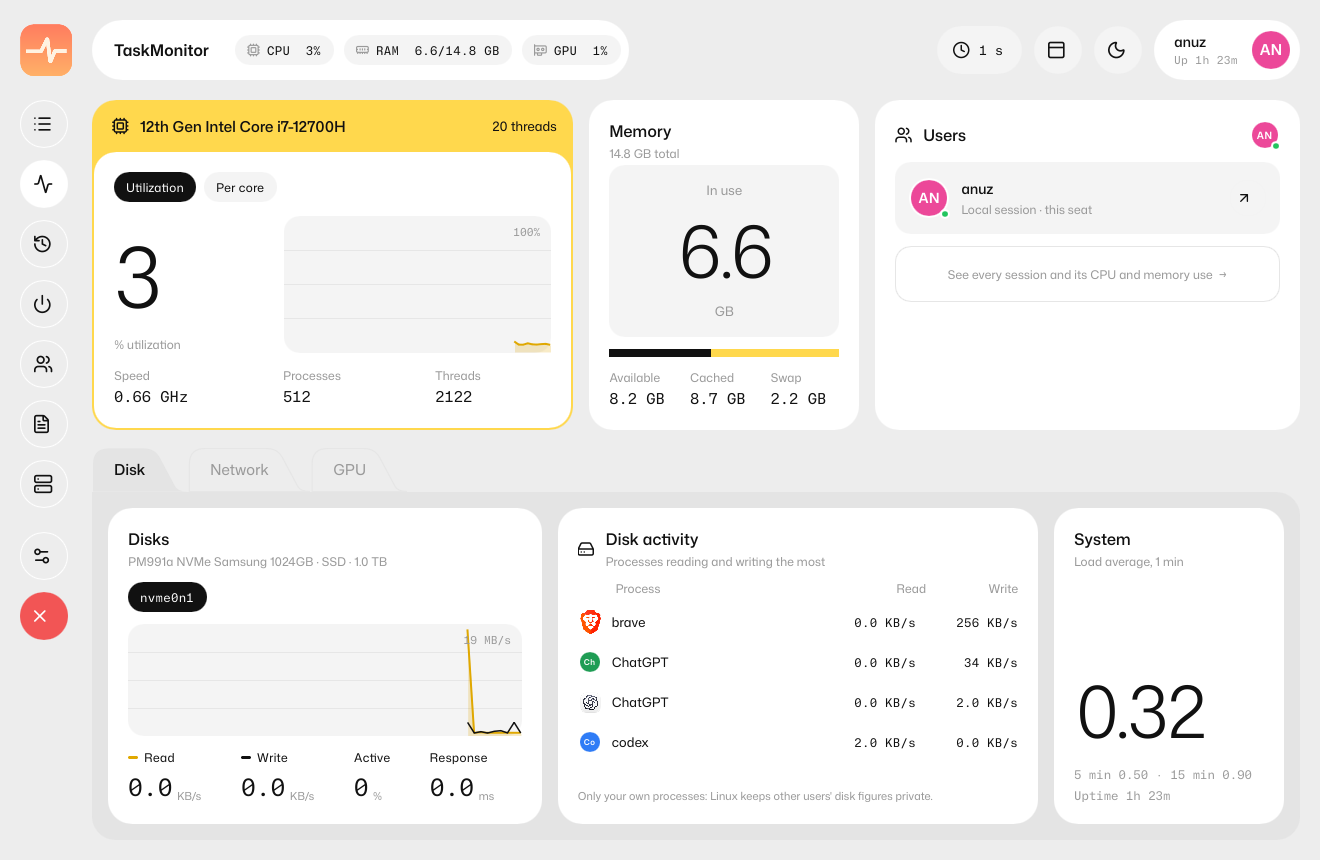
Live CPU (total and per thread), memory, every disk and network adapter, and GPUs — Intel and AMD through the kernel, NVIDIA through NVML.
Process actions
End task, Kill, Suspend and Resume, plus End process tree, Efficiency mode, priority, CPU affinity and Run new task. Actions on other users' processes go through polkit.
Services
System and user systemd services: start, stop, restart, enable and disable.
Startup apps
Switch autostart entries on and off in one click.
Users
Signed-in sessions with per-user CPU and memory; lock or sign out.
Details & properties
Every process, kernel threads included, with PID, user, disk I/O, threads, nice value and command line. Copy any value.
App history
Opt-in CPU, disk and GPU time per app, kept only on your computer.
Top-bar stats
Live CPU, RAM and GPU use in your system tray — next to the icon on GNOME, on hover in KDE.
Screenshots
See TaskMonitor in action
Performance 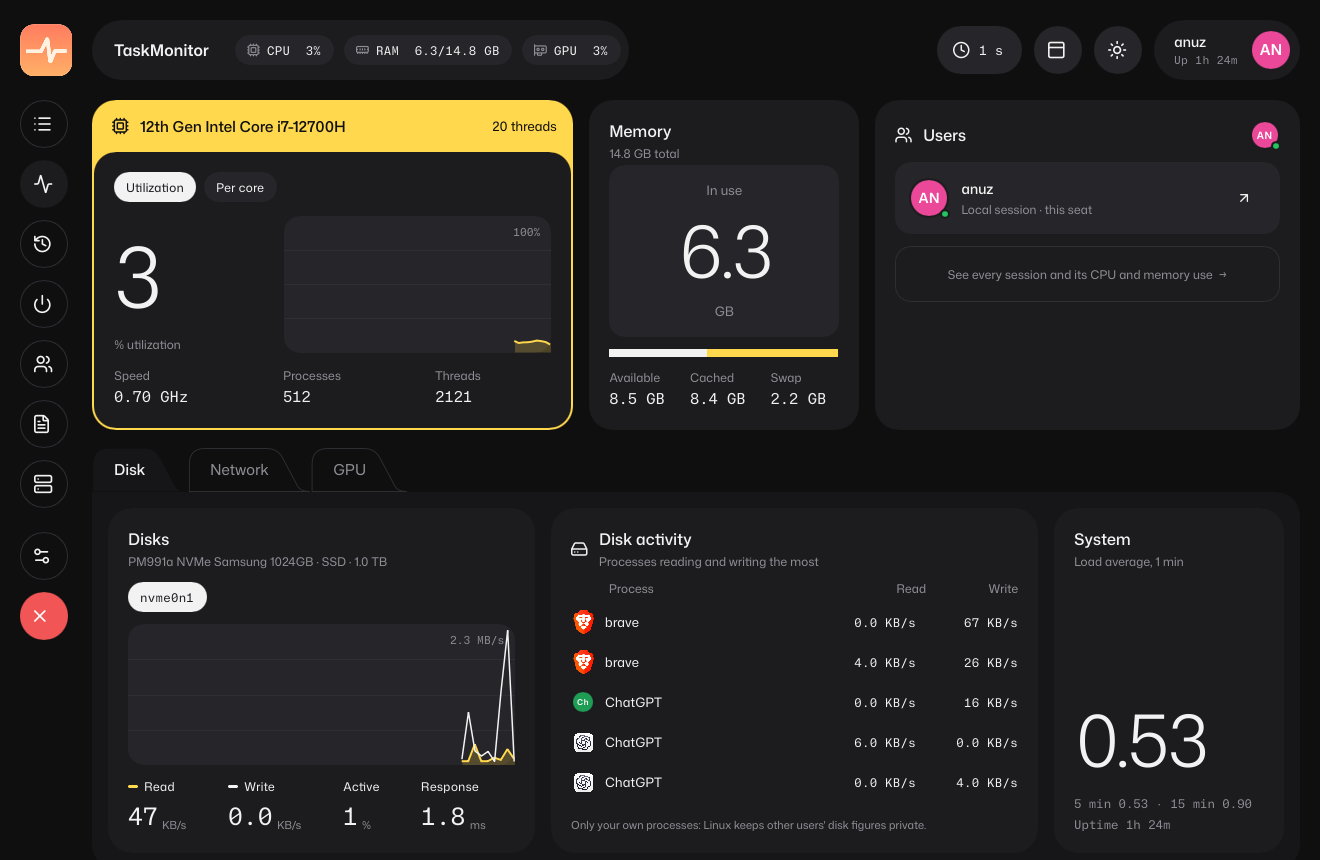
Dark theme 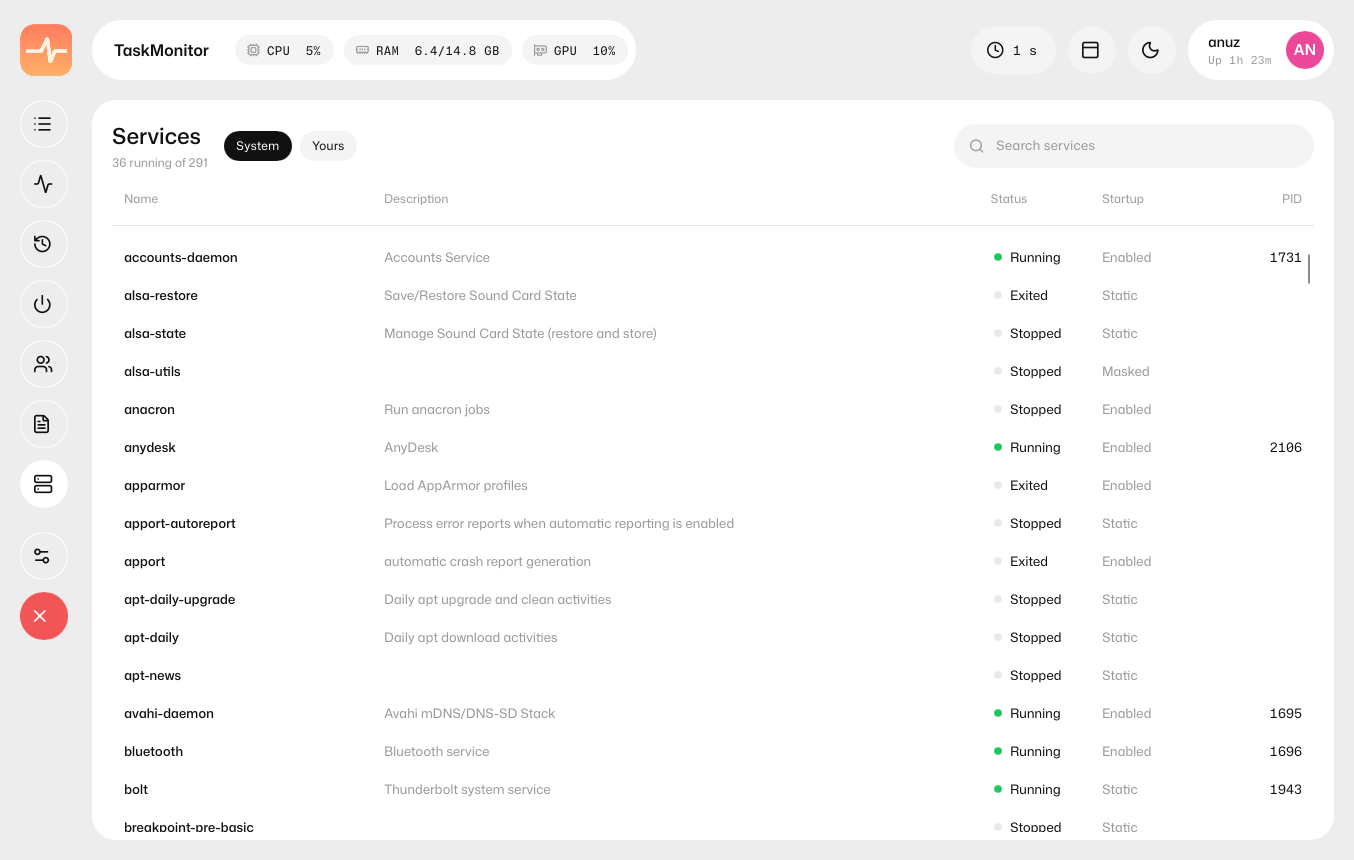
Services 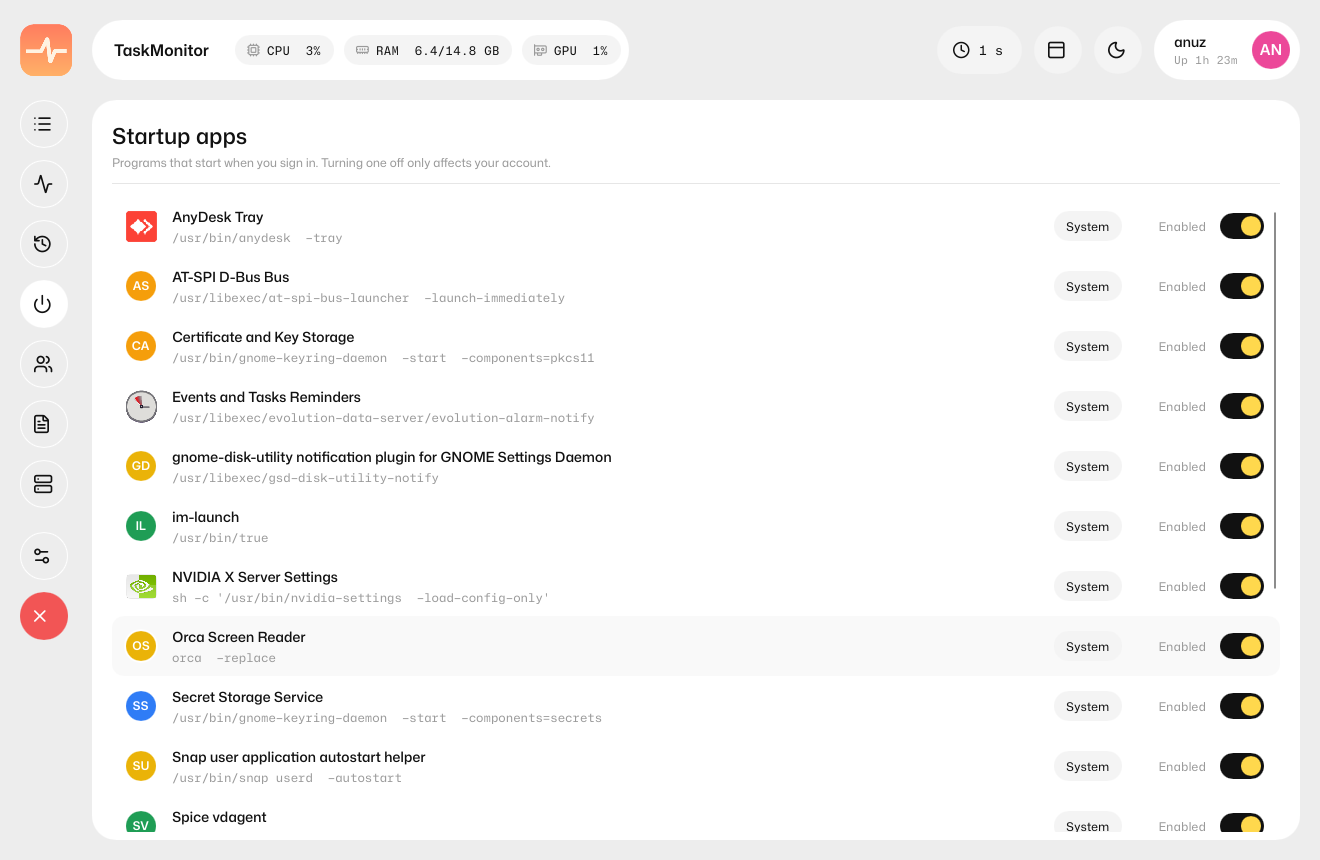
Startup apps 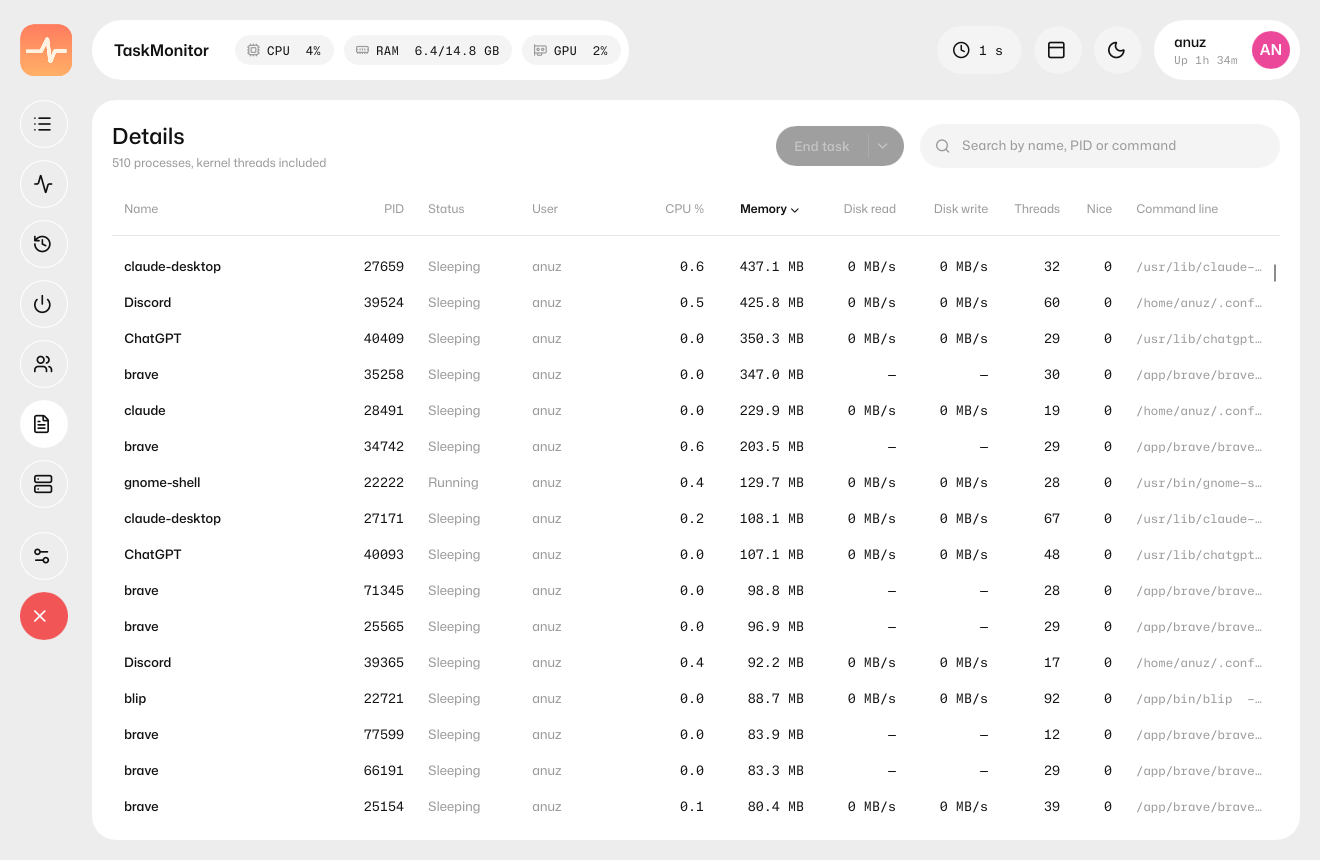
Details 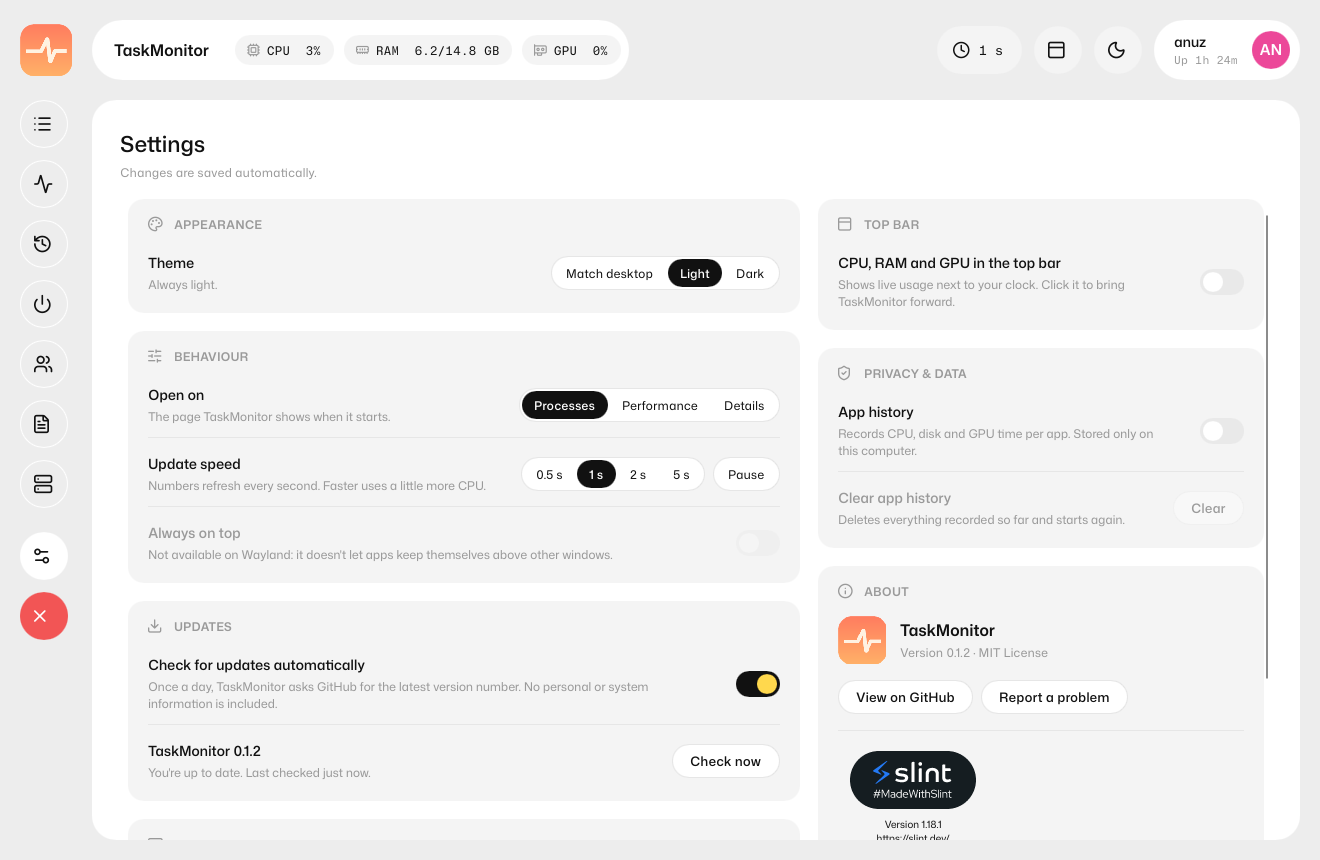
Settings
Install
Install TaskMonitor on Linux
Download a package for your distro from the latest GitHub release, then run the command below.
Any distro
TaskMonitor-<version>-x86_64.AppImage
$ chmod +x TaskMonitor-*.AppImage && ./TaskMonitor-*.AppImageUbuntu, Debian, Mint, Pop!_OS
taskmonitor_<version>-1_amd64.deb
$ sudo apt install ./taskmonitor_*.debFedora, RHEL, openSUSE
taskmonitor-<version>-1.x86_64.rpm
$ sudo dnf install ./taskmonitor-*.rpmArch, Manjaro, EndeavourOS
packaging/aur/PKGBUILD
$ makepkg -siAnything else
taskmonitor-<version>-x86_64.tar.gz
$ tar xf taskmonitor-*.tar.gz && sudo ./install.sh
- Any x86_64 Linux distro from 2018 onwards (glibc 2.28 or newer)
- systemd for the Services and Users pages
- polkit for admin actions (not available in the AppImage)
FAQ
TaskMonitor questions
Is TaskMonitor a Windows Task Manager alternative for Linux?
Yes. TaskMonitor covers what Windows Task Manager does — processes, performance, app history, startup apps, users, details and services — with a similar layout, built natively for Linux.
Is TaskMonitor free?
Yes. TaskMonitor is free and open source under the MIT License.
Which Linux distributions does it support?
Any x86_64 distro from 2018 onwards with glibc 2.28 or newer. There are AppImage, .deb, .rpm and tarball packages, plus an AUR PKGBUILD for Arch-based distros.
Does it show GPU usage?
Yes. Intel and AMD GPUs are read through the kernel and NVIDIA GPUs through NVML. TaskMonitor doesn't wake a sleeping laptop GPU.
How heavy is it?
It's written in Rust with Slint and uses about 1–2% of one CPU core and around 35 MB of memory.
Does it send my data anywhere?
No. App history is opt-in and stays on your computer. The only network request is an optional once-a-day update check against GitHub, which never installs anything by itself and can be turned off.
More from Little Systems