
Desktop app for Linux · v0.1.4
Tuck
A fast, friendly file manager for Linux.
Tuck is a free, open-source file manager for Linux that previews files with a press of Space, finds anything in your home folder as you type, and opens archives and installers with a double-click.
Install in one line
$ curl -fsSL https://raw.githubusercontent.com/anuzdhk/tuck-filemanager/feat/strata/get.sh | sh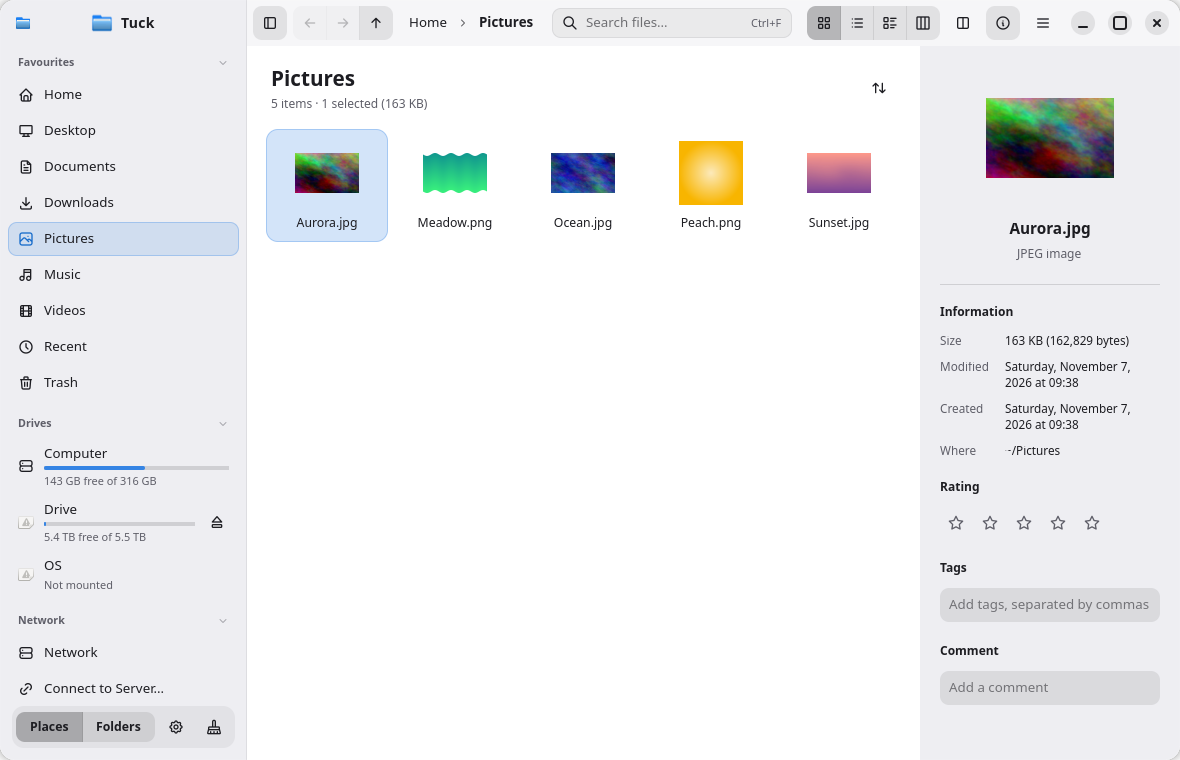
- Themes
- 11
- Built with
- Rust · GTK 4
- Runs on
- Wayland & X11
- License
- GPL-3.0
Features
What Tuck does
Preview without opening
Press Space to preview images, video, audio, PDFs, code, Markdown and archive contents. Arrow keys move on while the preview stays open.
Find anything fast
Search your whole home folder as you type, even inside text and code files. Filter with kind:pdf, modified:week, size:>10mb or tag:work.
Archives and apps in one click
Double-click .zip, .7z, .rar and more to extract safely. Double-click a .deb, .rpm, .flatpakref or AppImage to install it, with a clear confirmation first.
Browse your way
Icons, compact, details and macOS-style column views; tabs, split view (F3), a folder tree (F7) and a terminal that follows you (F4).
Stay organised
Tags, star ratings and comments shared with Dolphin, coloured git status dots, and a Cleaner that never touches your own files.
Make it yours
11 themes including AMOLED Black, any accent colour, your own icon theme, and every shortcut can be changed.
Image Converter
New addon: right-click images or a folder, then Convert Images… to WebP, AVIF, JPEG or PNG. Originals are never changed, and Tuck tells you how much space you saved.
Video Compressor
New addon: right-click a video, then Compress Video… Pick a quality and size, and get an MP4 that plays everywhere, with progress and a Cancel button.
3D Model Viewer
New addon: thumbnails and Quick Look for GLB, glTF, OBJ, STL and binary FBX models. Drag to turn the model; nothing to install.
Screenshots
See Tuck in action
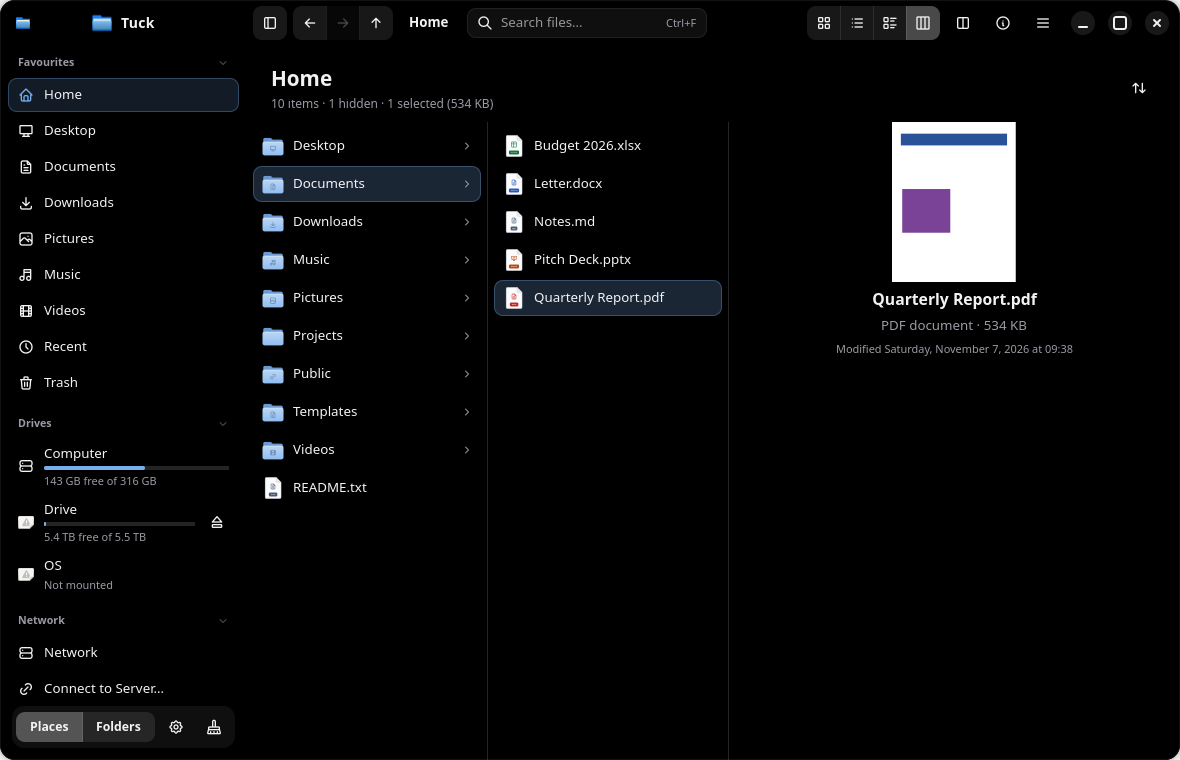
Column view 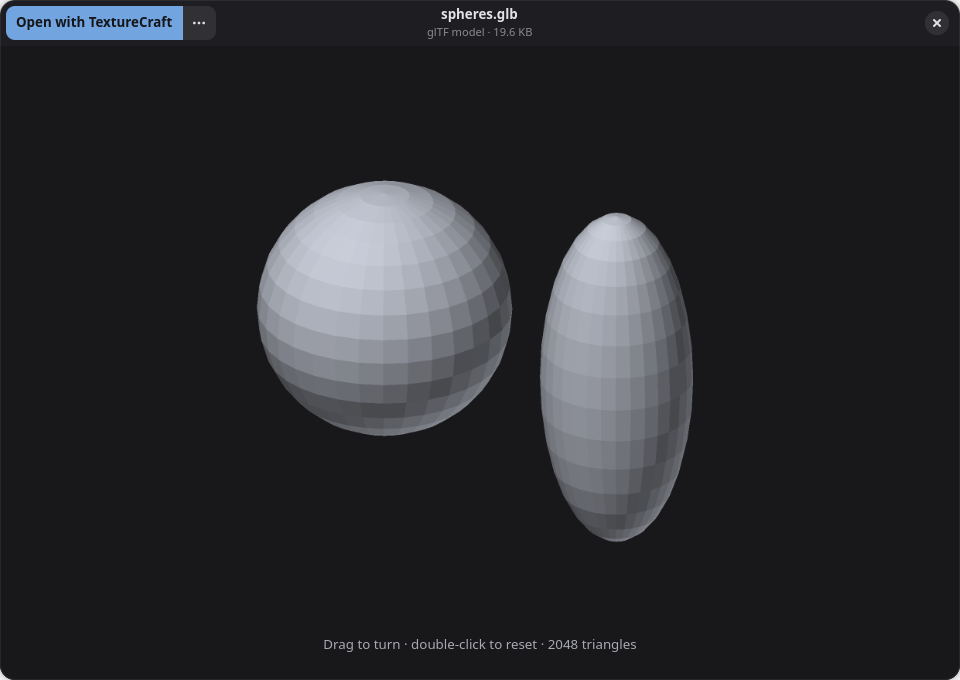
3D Model Viewer 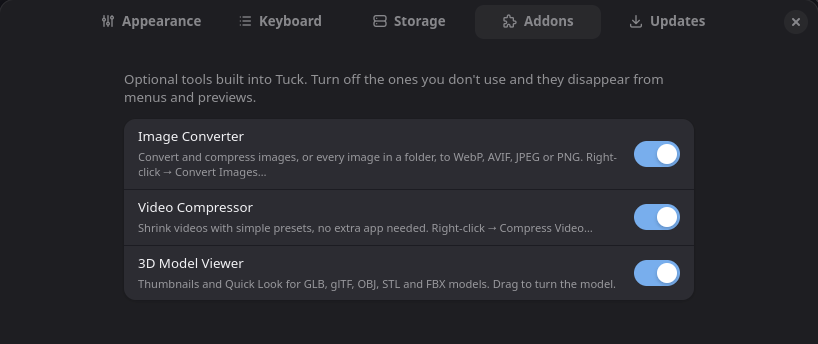
Addons 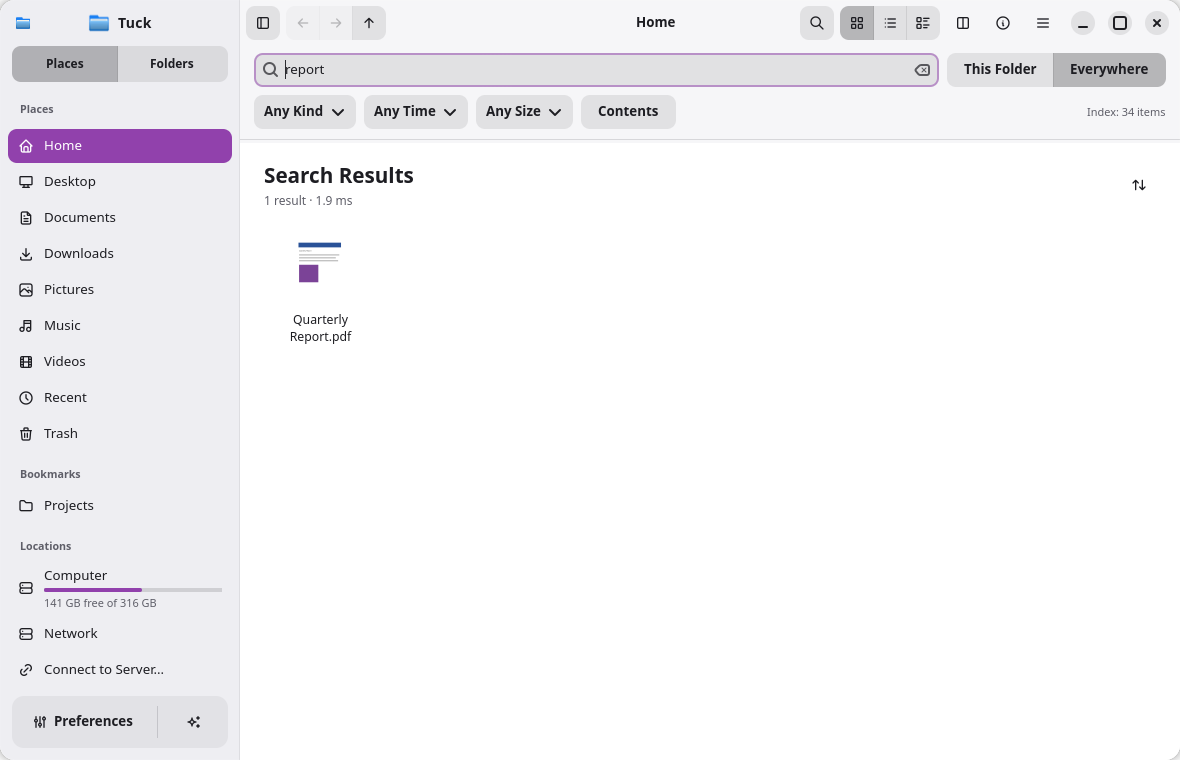
Search 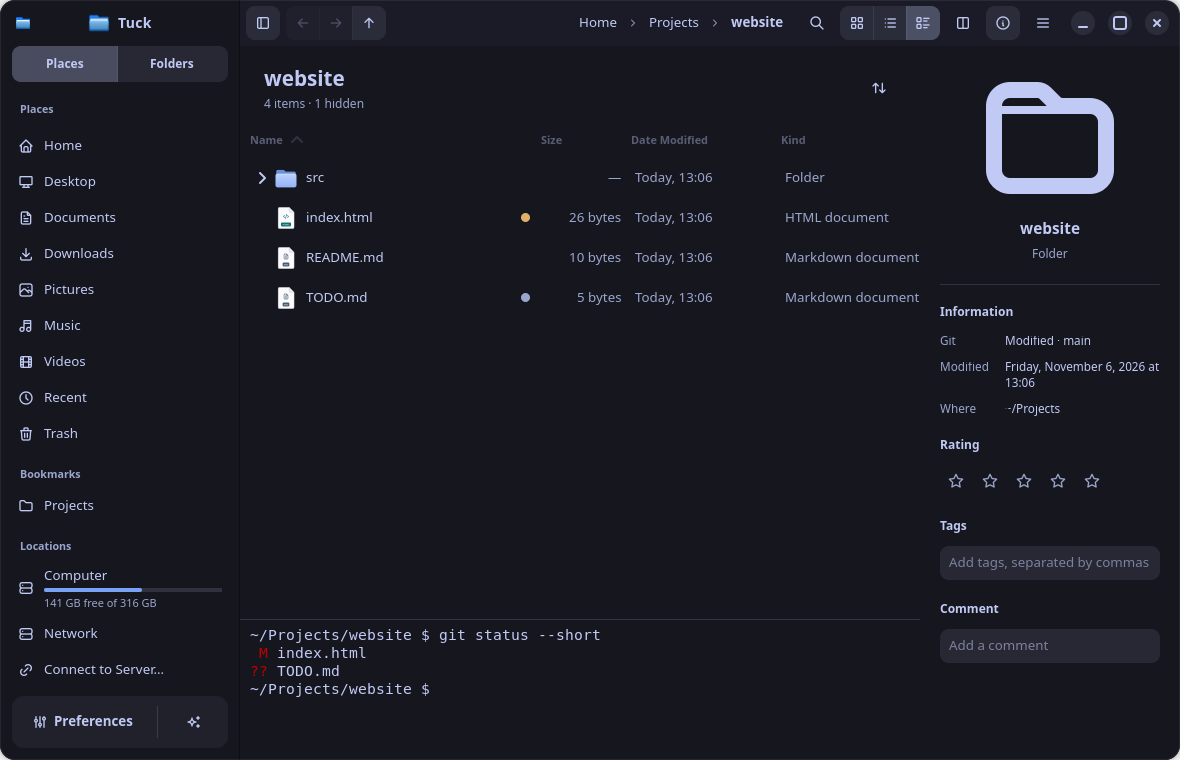
Terminal & git 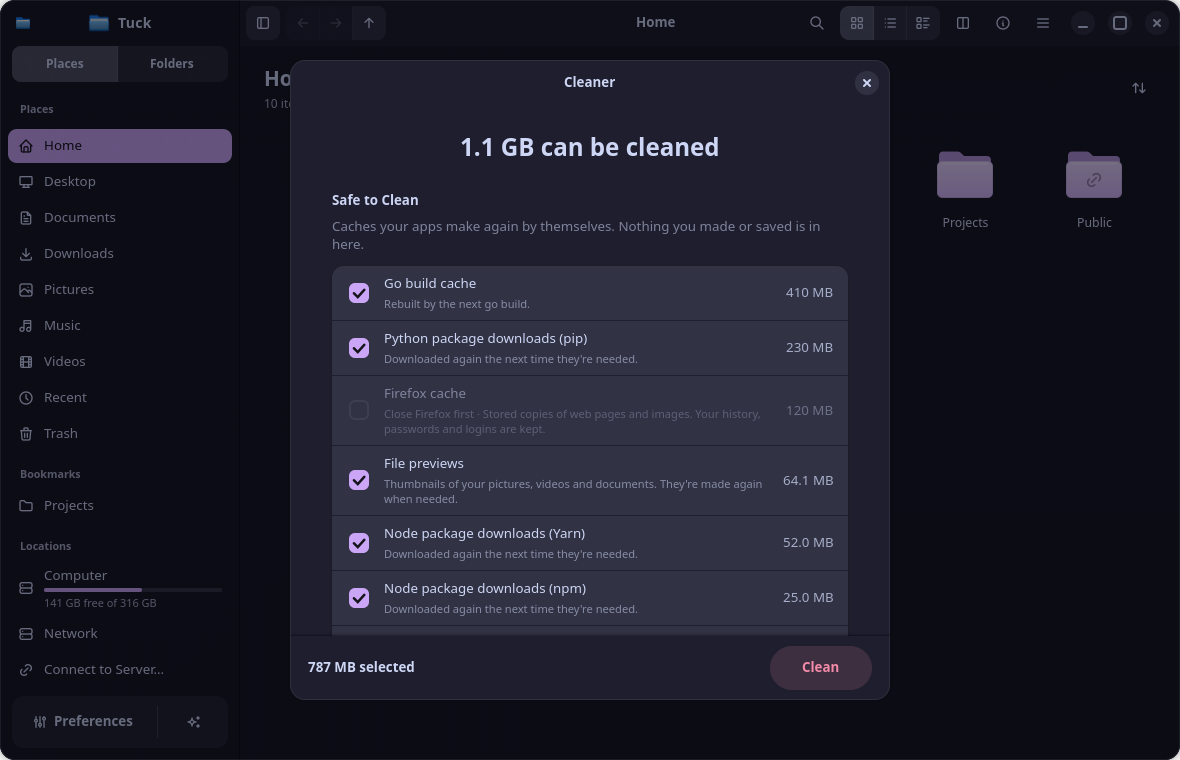
Cleaner 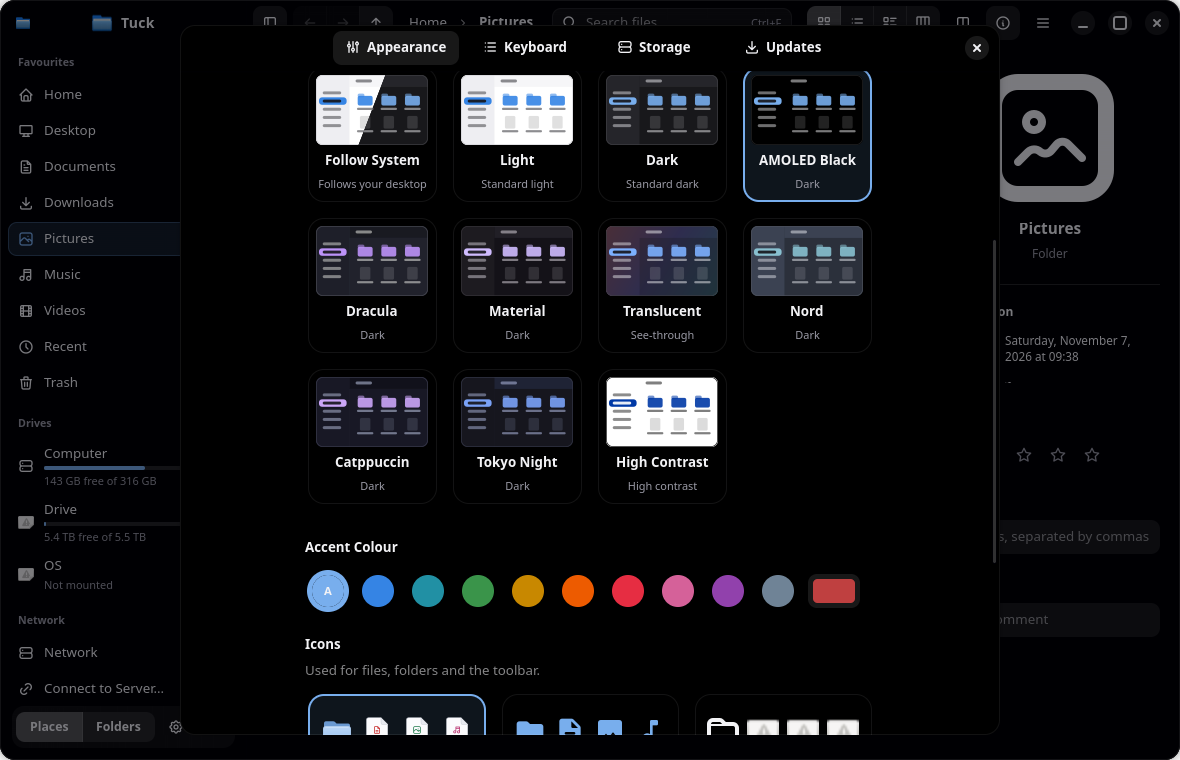
Themes
Install
Install Tuck on Linux
The one-line installer picks the right package and checks it against the release's SHA-256 checksums. Or download the file for your system from the latest release.
Debian 13+, Ubuntu 25.04+, Mint, Pop!_OS
tuck_<version>-1_amd64.deb
$ sudo apt install ./tuck_*.debFedora 41+
tuck-<version>-1.fc45.x86_64.rpm
$ sudo dnf install ./tuck-*.x86_64.rpmopenSUSE Tumbleweed
tuck-<version>-1.fc45.x86_64.rpm
$ sudo zypper install ./tuck-*.x86_64.rpmArch, EndeavourOS, Manjaro
tuck-<version>-1-x86_64.pkg.tar.zst
$ sudo pacman -U ./tuck-*.pkg.tar.zstAnything else
Tuck-<version>-x86_64.AppImage
Runs on distributions as old as Ubuntu 22.04. Installs for the current user only.
$ chmod +x Tuck-*-x86_64.AppImage && ./Tuck-*-x86_64.AppImage
- Packages: GTK 4.16+ and libadwaita 1.6+ (Debian 13+, Ubuntu 25.04+, Fedora 41+, openSUSE Tumbleweed, Arch)
- AppImage: any distribution from Ubuntu 22.04 onwards
- Image Converter and Video Compressor addons use ImageMagick and FFmpeg (optional)
- x86_64, on Wayland or X11
FAQ
Tuck questions
Is Tuck free?
Yes. It's free and open source under the GPL-3.0-or-later licence.
Does it replace Dolphin or Files (Nautilus)?
It covers most everyday Dolphin features: tabs, split view, a terminal panel, tags, service menus and git status. Some are missing, such as browsing inside archives as folders, inline rename and version control other than git.
Which Linux systems does it run on?
The packages need GTK 4.16 and libadwaita 1.6: Debian 13+, Ubuntu 25.04+, Fedora 41+, openSUSE Tumbleweed and Arch. Since 0.1.4 the AppImage carries its own C library and runs on distributions as old as Ubuntu 22.04.
What are Addons?
Optional tools built into Tuck: an Image Converter, a Video Compressor and a 3D Model Viewer. Each has its own switch in Preferences › Addons; turn one off and it disappears from menus and previews.
Can I make it my default file manager?
Yes: Preferences › Updates › Make Default. Folders from your browser and other apps then open in Tuck.
Will the Cleaner delete my files?
No. It only looks at a fixed list of cache folders, ticks only caches that rebuild themselves, and asks before deleting.
Is there a Flatpak?
Not an official one yet. Use the package for your system or the AppImage.
Is it stable?
It's an early release (0.1.x). Report problems on GitHub Issues.
More from Little Systems
 TaskMonitor
A modern, lightweight task manager for Linux.
 Teku
Install Linux apps from a right-click.
- BillPilot
Free invoices for freelancers, in under a minute.